The best fishing app for you depends on how and where you fish. Some anglers need detailed navigation and depth contours. Others want fishing intel from local anglers, while trip planning, weather, river conditions, and offline maps might matter more to someone exploring remote water.
I’ve spent time using Navionics – Garmin, Fishbrain, and onWater, and each takes a different approach. Rather than picking one universal winner, I’m comparing how these three fishing apps actually work, where each one stands out, and which type of angler will get the most from it.
Navionics Garmin: Navigation and Charts
I’ve used the Navionics Boating app by Garmin longer than any other app in this comparison. For me, its biggest strengths are navigation, depth contours, and tide information.
One of its biggest strengths is the amount of chart information available. You can switch between nautical charts, sonar charts, satellite imagery, and relief shading. I typically use the contour information to understand a lake before I ever get on the water.
That becomes especially useful when planning a trip. I’m not always sitting in my boat with a Garmin, Lowrance, or Humminbird unit in front of me. With Navionics Garmin, I can study a body of water days or weeks beforehand. I can look for depth changes, structure, channels, and areas I may want to fish.
The tide data is another feature I use regularly in coastal areas. Instead of searching for a general tide forecast, I can zoom into the map and find a specific tide station near where I plan to fish. I can see whether the tide is rising or falling and look ahead at upcoming highs and lows.
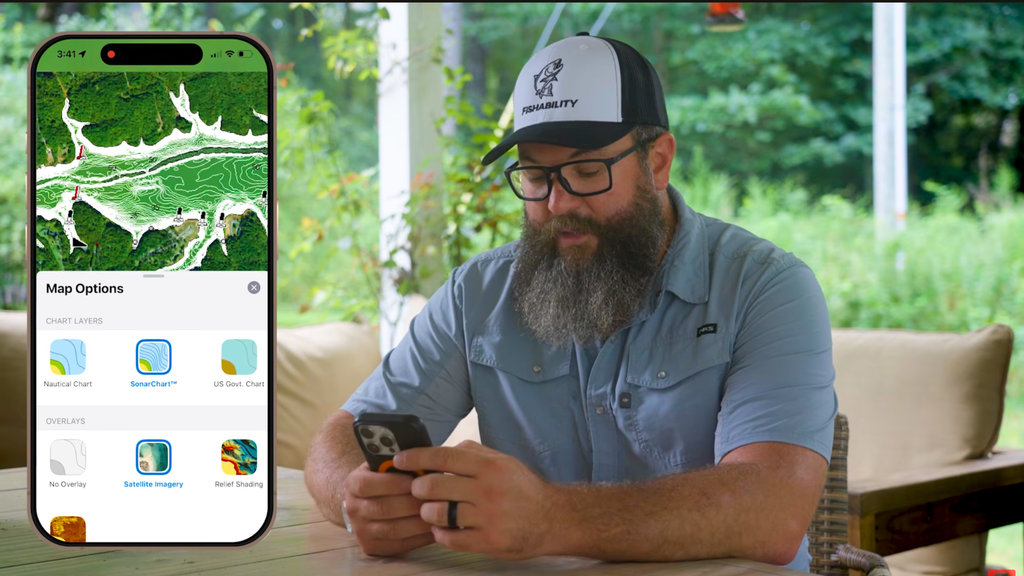
You can also create routes, measure distances, find boat launches and marinas, download maps for offline use, and track your speed.
That’s an important distinction in this comparison. Navionics – Garmin isn't as focused on fishing communities or journaling catches. It’s a boating and navigation app first.
At $49.99 annually for U.S. and Canada coverage, it makes the most sense for anglers who prioritize charts, navigation, depth contours, channels, and tides.
Fishbrain: Community Fishing Intel
Fishbrain is completely different because its biggest strength is its community. I think of it almost like a social media platform built specifically for anglers.
Users can upload catches, add photos, identify species, interact with other anglers, and join groups. Those catches appear on the map, giving you a look at what people have caught around a particular body of water.
That can be incredibly useful when I’m researching somewhere I haven’t fished before.
For example, I can open a lake and see catches uploaded by other anglers. I can then narrow that information by species or look at catches from different time periods. It gives me another piece of information when trying to understand what might be happening on that water.
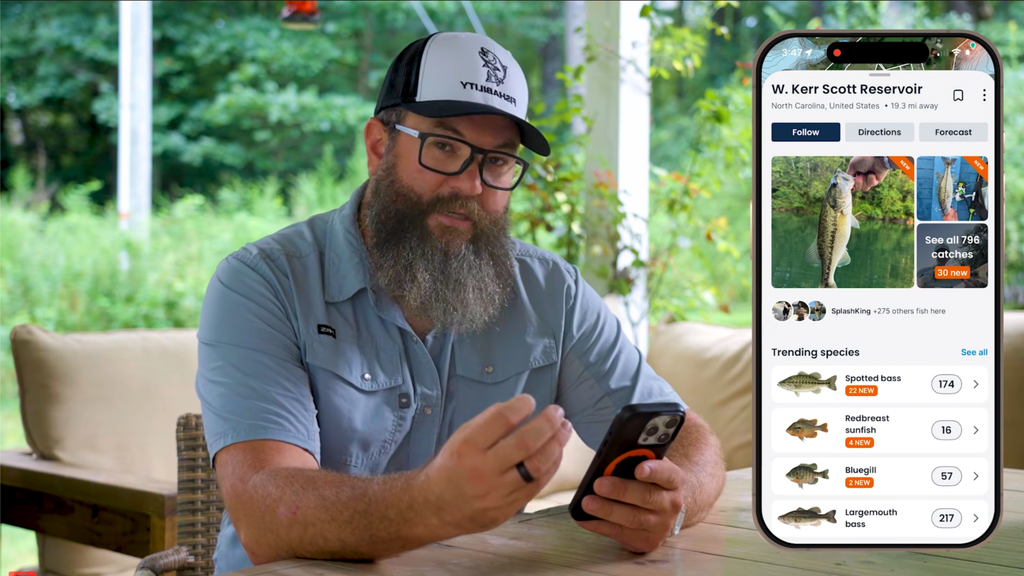
Fishbrain goes beyond catch reports, too. The paid version includes Garmin depth contours, weather information, bite forecasts, lure recommendations, and species-specific fishing predictions.
Its Bite Guide uses information such as historical catch data, weather, and moon phases to suggest potential bite times and techniques. You can also see predicted fishing areas and recommendations for lure styles and colors.
I haven't personally used the bite prediction enough to judge its accuracy, but it adds another interesting planning tool.
The biggest reason I would choose Fishbrain is still its community. If you like seeing what other anglers are catching, sharing your own fish, and using crowd-sourced information to research new water, this app offers something the others don't emphasize as heavily.
Fishbrain Pro costs $79.99 annually, while the free plan offers more basic community and catch-logging features.
onWater: Trip Planning
onWater is the app I use when I want to really dig into planning a fishing trip. I should mention that OnWater is a partner of mine, but I use the app regularly and there are several features that genuinely stand out for how I fish.
Like the other apps, OnWater offers mapping and Garmin HD depth charts. Where it separates itself for me is how many planning tools it brings together.
I can check weather, wind direction, precipitation, cloud cover, tides, stream flows, gauge heights, and historical river conditions. I can also view public and private land boundaries, recreational easements, access points, and boat ramps.
For river fishing, that combination is especially useful.
I can find a stream gauge and compare current flows with data from the last 30 days, six months, year, or even five years. Then I can use the snap-to-river measuring tool to calculate actual river mileage between two locations.
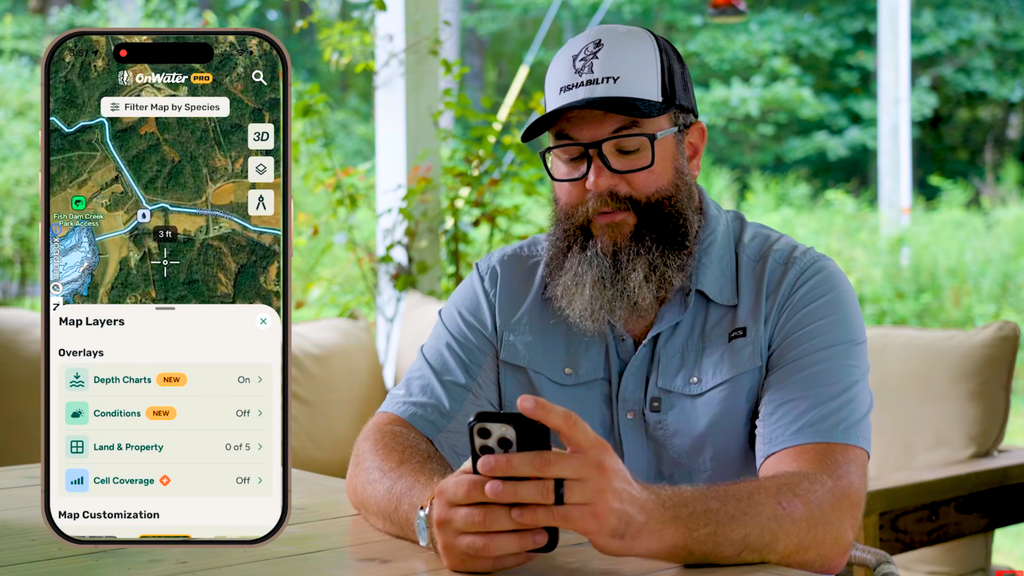
That makes planning a float much easier. Instead of measuring a straight line between two points, I can see how many river miles I’ll actually travel.
Another onWater feature I use is the cell coverage layer. I can select my mobile provider and see where I may lose service. If I'm heading somewhere remote, I can download the maps and information I need before leaving coverage.
I even used onWater while traveling the Florida Adventure Trail. I imported our overland route into the app, then used it to find rivers, boat ramps, tides, flows, and possible fishing stops along the way.
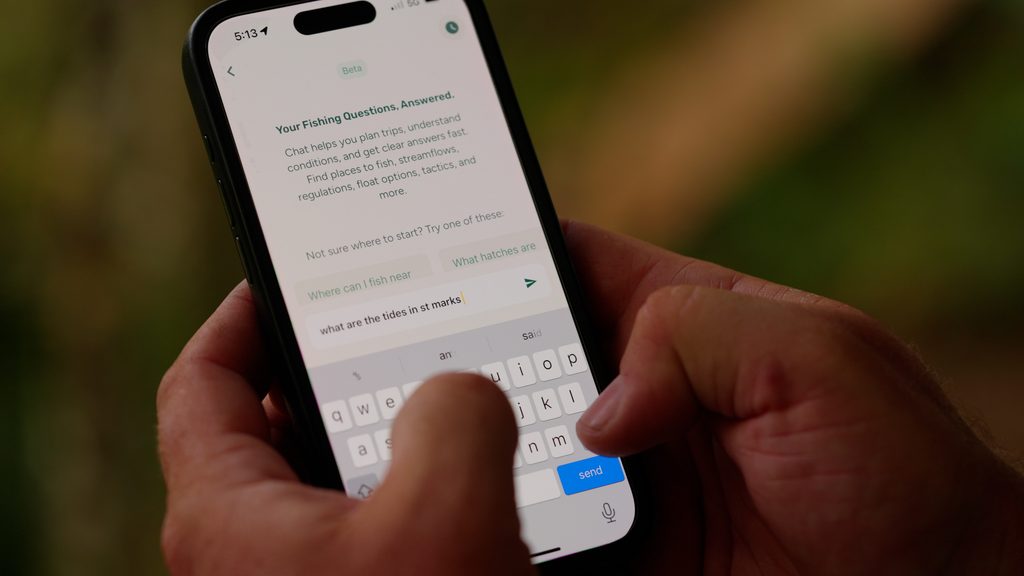
There are also species filters, 3D maps, catch journaling, AI-assisted trip planning, and community features. The fishing journal can combine your catch information with location, time, and weather data to help identify patterns over time.
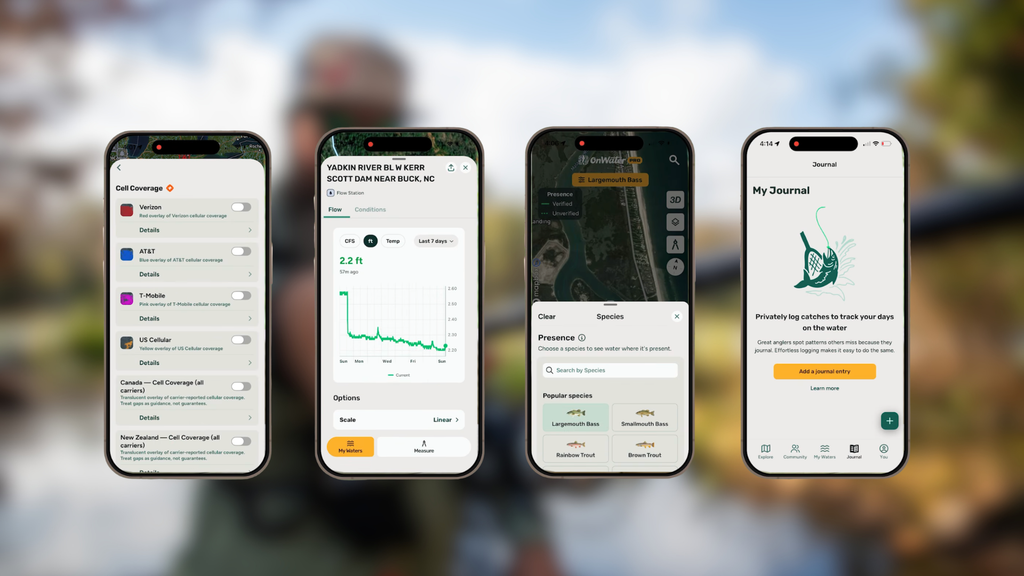
At $49.99 annually for OnWater Plus, I see it as the strongest fit for anglers who want detailed trip planning, river information, offline maps, access information, and weather tools in one place.
Which Fishing App Is Best for You?
There isn’t one best fishing app for every angler. Each of these apps does something different.
Choose Navionics Boating App by Garmin for navigation, contours, and tides. Choose Fishbrain for community-driven fishing intel and catch data. For detailed trip planning, river fishing, and offline use, I prefer onWater.
You probably don’t need all three. Try the free versions or trials and find the one that fits how you fish.
FAQs
What is the best fishing app?
The best fishing app depends on your needs. Garmin Navionics excels at navigation, Fishbrain at community-driven fishing information, and onWater at detailed trip planning.
Is Fishbrain or onWater better?
Fishbrain is better suited to anglers who value community and crowd-sourced catch information. OnWater is stronger for detailed planning, river data, offline use, and mapping.
Is Navionics worth it for fishing?
Yes, especially if detailed charts, depth contours, navigation, channels, and tide information matter to how you fish.
What is the best fishing app for river fishing?
Of these three, I prefer onWater for river fishing because of its stream-flow data, gauges, river-mile measurements, access information, and offline mapping.
If you want to explore more than these three fishing apps, check out my previous fishing app review where I break down several other apps I’ve used for trip planning.